PERRY3D SOFTWARE, SIMULATION & WEB DEVELOPMENT

Projects

Selected work

A closer look at the work behind the front page — the installations, simulators and management systems I have designed and built — plus the developer tools I still work on in my own time.

Client work

01 2019

Virtual Interactive Touchscreen Aquarium Project based

Interactive installation · Unity3D · C# · Computer vision · Projection mapping
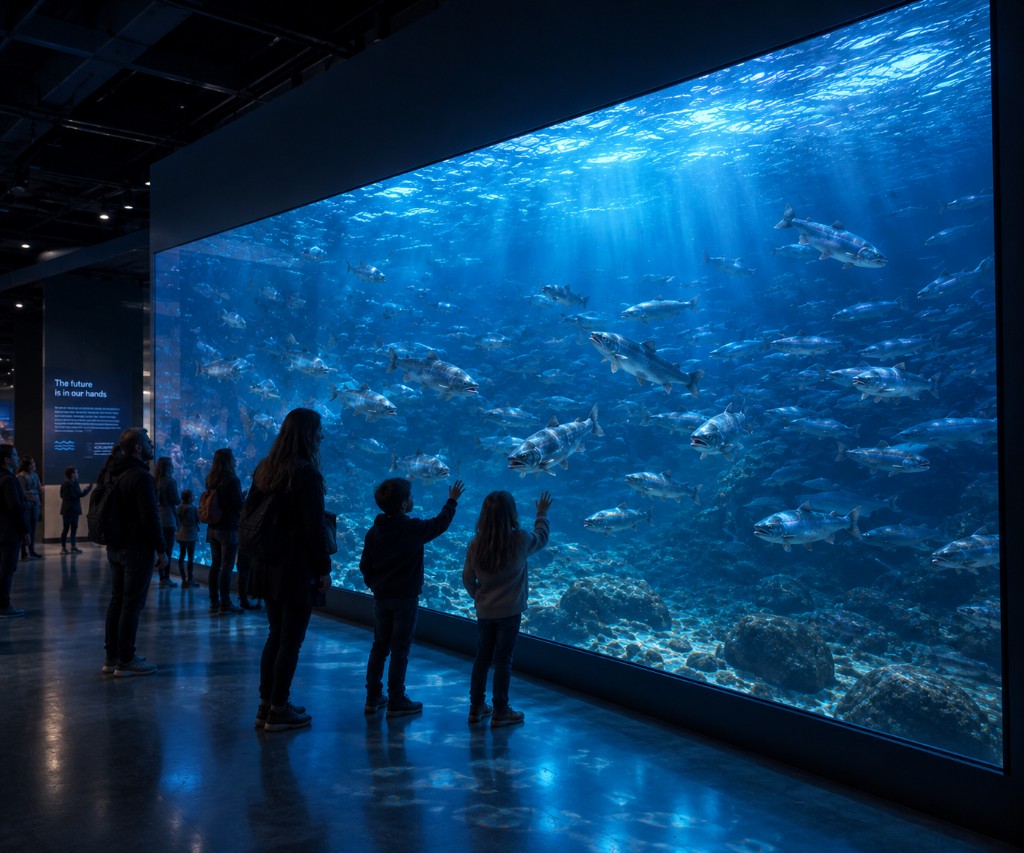
Visitors standing in a darkened room in front of a wall-sized aquarium filled with a school of fish.

Case study

For a project in Norway, I was tasked with designing and developing a large interactive aquarium installation. The installation used a massive glass surface of roughly four meters wide and three meters tall, designed to look and feel like an aquarium window. However, instead of real fish, the entire aquarium was simulated digitally.

The goal was to create an experience where people could interact with the virtual fish by moving near the glass or touching it. The fish reacted to human behavior: calm movements could make them curious and interested, while aggressive or sudden movements could scare them away. This made the installation feel alive and responsive, especially for children and visitors who naturally started experimenting with how the fish would react.

One of the main technical challenges was that the installation had to work from both sides of the glass at the same time. A short-throw projector was used to display the simulated aquarium onto the glass surface, while two cameras, one on each side, tracked user movement and interaction near or against the window. This allowed the system to detect people standing close to the glass, moving around it, or interacting directly with the surface without relying only on traditional touch input.

I designed and developed the interactive behavior, the fish response logic, and the user interaction system. The project combined real-time simulation, camera-based interaction tracking, multi-user input, projection, and physical installation constraints.

The result was a large interactive display where visitors could gather around the aquarium and influence the behavior of the virtual fish. Depending on the behavior of the people nearby, the fish could become curious, slowly approach the glass, lose interest, or quickly swim away. Both children and adults were fascinated by the installation because it reacted in a natural and playful way.
02 2019 – 2020

VR Boat Crane Simulator Project based

VR training simulator · Unity3D · C# · Physics simulation · Arduino · Bluetooth

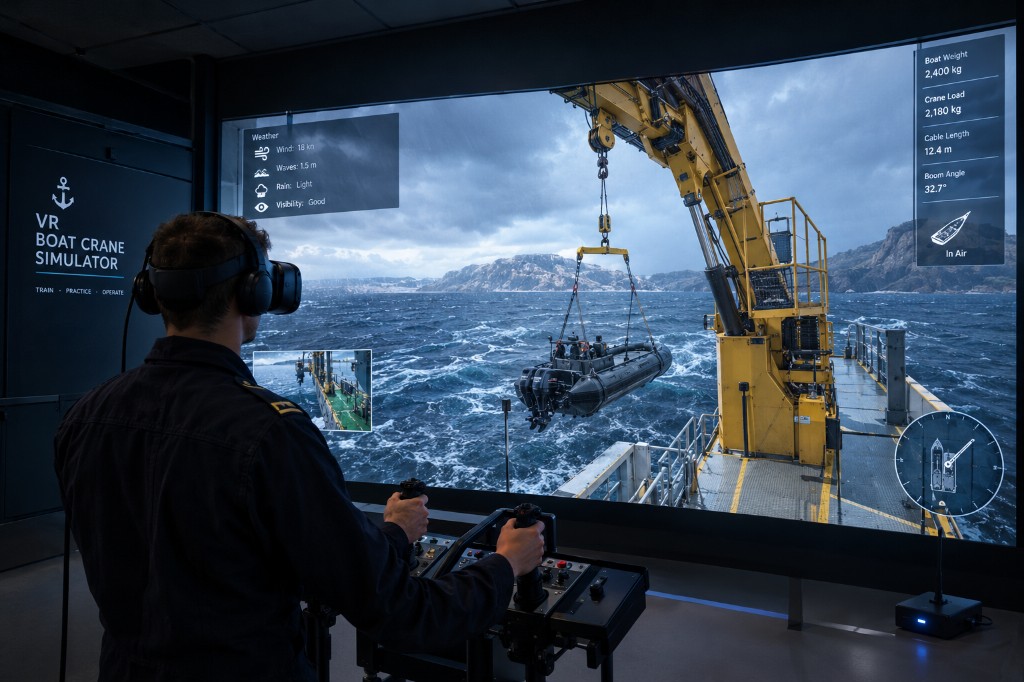
A trainee in a VR headset operating crane joysticks in front of a ship-deck simulation lifting a boat from the water.

Case study

The VR Boat Crane Simulator was developed as a military training simulation to help personnel learn how to operate a crane system used to lift and lower boats into the water. The simulator recreated a realistic training environment in VR, including controllable weather conditions, water behavior, crane movement, boat physics, and interaction with real crane control equipment.

During development, I was responsible for creating the physics behavior for the boat, water, and crane systems. This included simulating how the boat reacted to movement, weather conditions, crane forces, and water interaction. The goal was to make the training environment feel realistic enough to support practical learning while still running smoothly in VR.

Later in the project, I was also tasked with recreating the crane controller for internal testing. I designed and built a custom wireless version of the controller using two Arduino boards. The controller had to be compatible with the VR environment while behaving like the real crane controller used in training.

My work included designing the physical controller setup, programming the firmware, and building the software communication link between the controller and the PC. Because the VR environment had to run at 144 FPS, the communication had to be efficient, stable, and low-latency.

One of the main technical challenges was the Bluetooth communication. The available Bluetooth version had limited bandwidth, so I designed a custom low-level communication protocol to pass as much control data as possible within the available limits. This made it possible for the wireless controller to communicate reliably with the VR simulation while keeping performance suitable for a high-framerate VR environment.

The result was a VR crane training simulator that combined realistic physics, real-world equipment behavior, custom hardware, wireless communication, and immersive training in one system.

03 Client project

Casino Touchscreen & Management Solution Project based

Touchscreen application · Management software · Payment security · Administration tooling

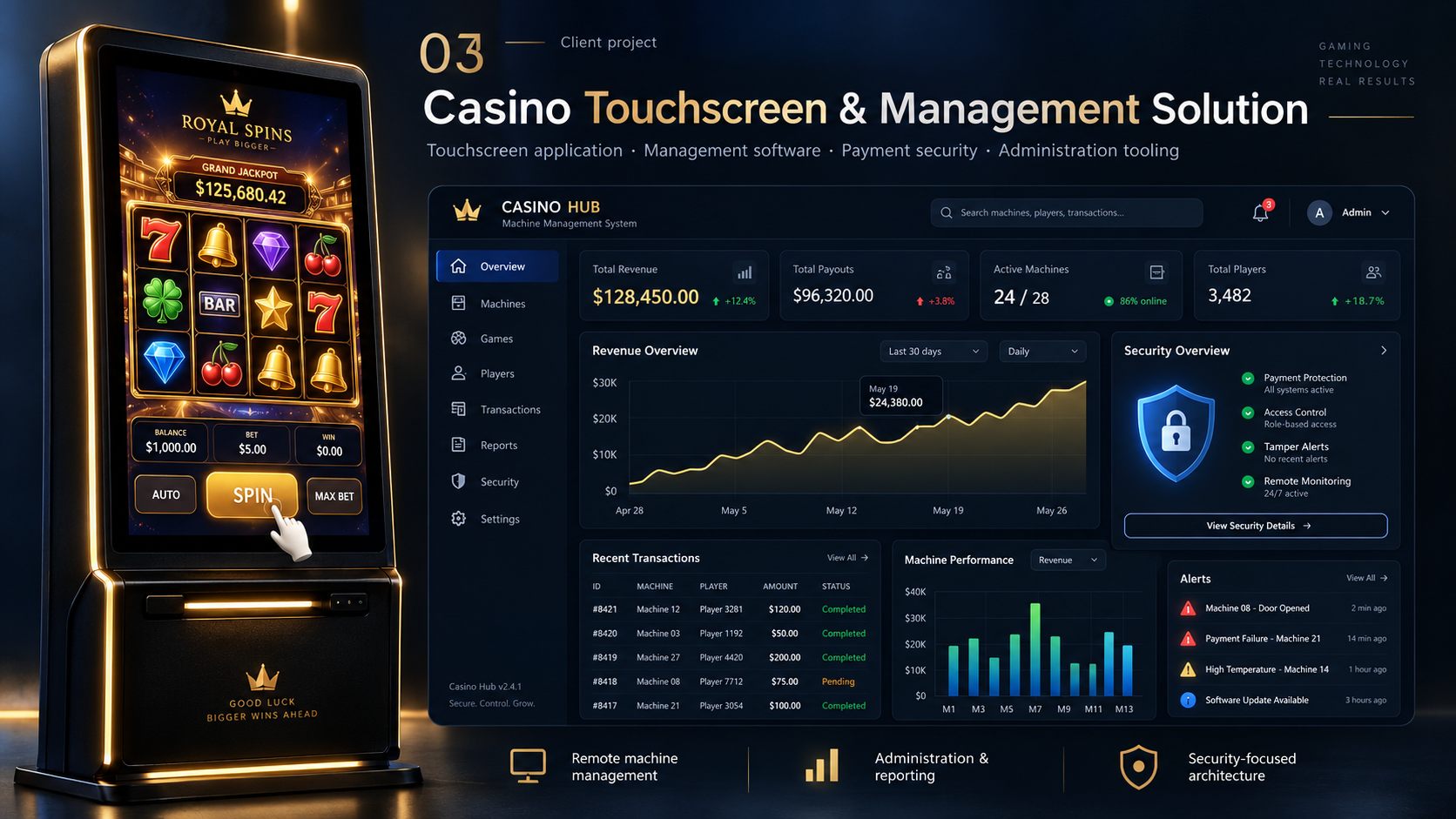
A casino touchscreen kiosk beside a Casino Hub management dashboard for machines, revenue and security.

Case study

For this project, a customer asked me to develop the complete software package for a casino-style touchscreen machine. The hardware touchscreen panel was provided by the customer, and my responsibility was to build the software running on the machine as well as the management tools used by the machine owners.

The original idea included a touchscreen slot-machine-style game, but during development the project became much more focused on the management and administration systems behind the machine. This included owner dashboards, administration panels, machine feedback, income and payout reporting, possible reward tracking, performance information, and security-related monitoring.

My work covered almost the full software side of the project, except for the visual design of the game itself. I built the application logic, management tooling, administration interfaces, payment-related safeguards, machine communication, and the supporting systems needed to monitor and manage the machines.

A major part of the project involved thinking through system security. The software needed to consider payment protection, access control, machine integrity, and what should happen if a physical machine was stolen or tampered with. This made the project much more complex than a simple touchscreen game and gave me valuable experience with designing software for real-world security risks.

This project opened my eyes to how deep and complex software security can become when physical hardware, money, users, administration, and remote management are all part of the same system. Some of the security and architecture challenges from this project still influence how I think about secure software design today.

04 2017 – 2018

Realistic Lifeboat Simulator Project based

Engineering simulation tool · Unity3D · C# · Physics simulation · Boat stability analysis

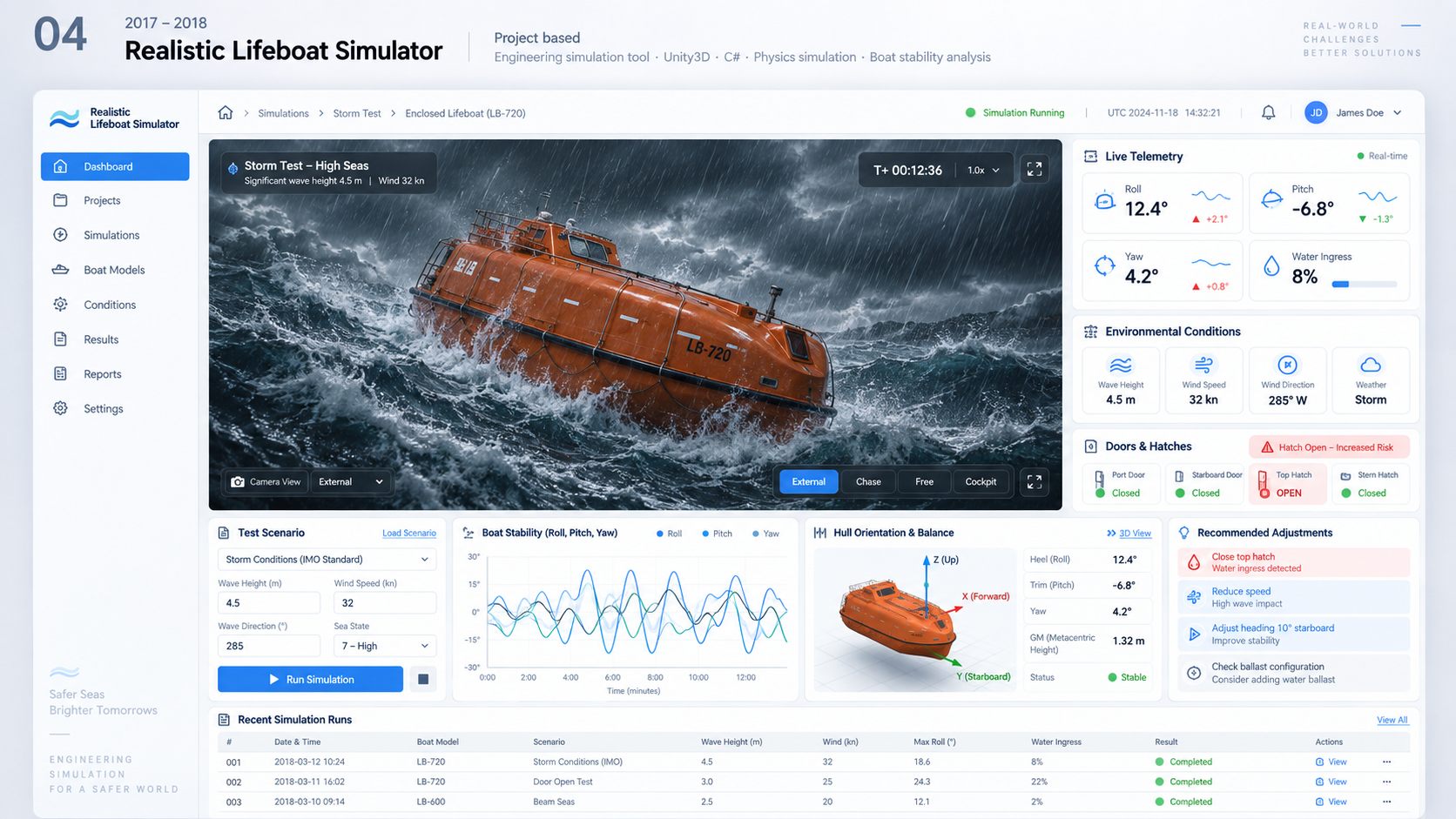
A lifeboat simulator dashboard showing an enclosed boat in storm seas with live telemetry.

Case study

For a company working on experimental lifeboat designs, I was asked to create a small simulation program that could help their development team test new boat models in different environmental conditions.

The idea was that a developer could import a boat model into the program, after which the software would automatically configure the model as a simulated boat. The simulation could then run different weather and water scenarios to test how the design behaved under stress.

One of the important use cases was testing enclosed lifeboats during storm conditions. The simulator could evaluate what happened when one or more doors were opened during rough weather, including how water entering the boat affected stability, balance, movement, and overall behavior.

The software showed live simulation data inside the program while the test was running. Based on the behavior of the boat and the measured results, the program could recommend possible adjustments to the design for the development team to review.

This project combined real-time physics simulation, water interaction, boat stability behavior, automated model setup, live data visualization, and practical engineering feedback. The goal was to give the development team a faster and more visual way to test experimental boat concepts before moving further into physical testing or design refinement.

Own tools

05 2016 – 2017

Realistic Water Physics Project based

Unity asset · C# · Physics simulation · Developer tooling

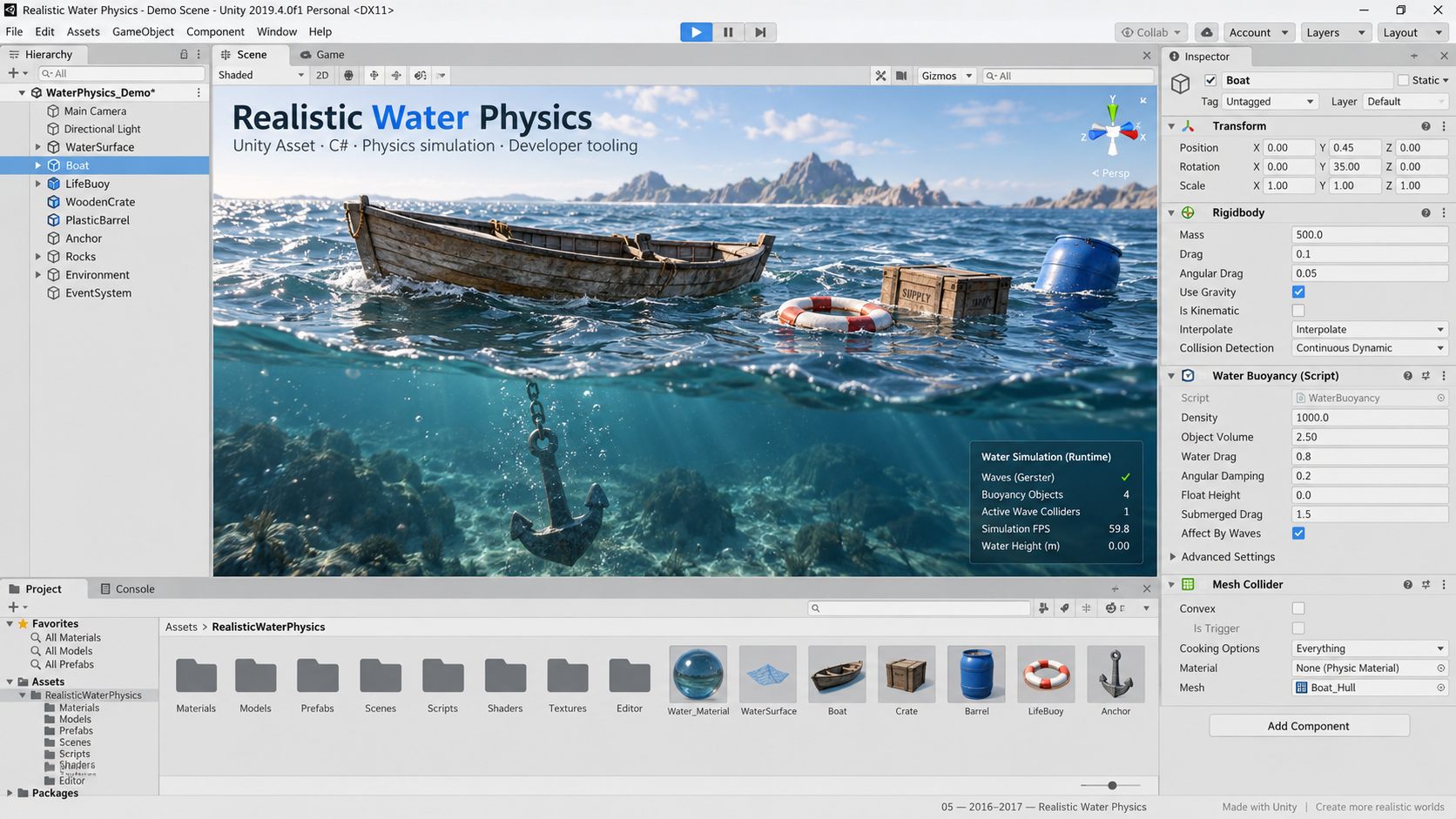
The Unity editor with Realistic Water Physics: a boat, crate, barrel and lifebuoy floating in water.

Case study

Realistic Water Physics is one of my own projects, originally created during my free time as a Unity Asset Store tool for other developers. The goal was to make realistic water physics easy to add to games and interactive projects without requiring developers to build or configure complex buoyancy systems themselves.

The asset allowed developers to select an object in their scene, choose what material it was made of, and let the system handle the physics setup automatically. With only a few steps, objects could react more realistically to water and their surrounding environment without requiring custom code or detailed manual settings.

Behind the simple workflow, the asset calculated the behavior needed to make objects float, sink, move, and react based on their properties. A major focus was making the system approachable and usable for other developers while hiding as much of the technical complexity as possible.

Although the original version was created several years ago and is no longer available on the Unity Asset Store, it remains an important project in my development background. It taught me a lot about physics simulation, usability, product thinking, documentation, and building tools for other developers.

I have recently started developing a new version of Realistic Water Physics as a side project. With the programming experience I have gained over the years, I see it as a good opportunity to revisit the idea, improve the architecture, and build a better, more modern version of the tool.

06 Ongoing

Unit Converter Project based

Developer tool · API design · .NET · Live web application

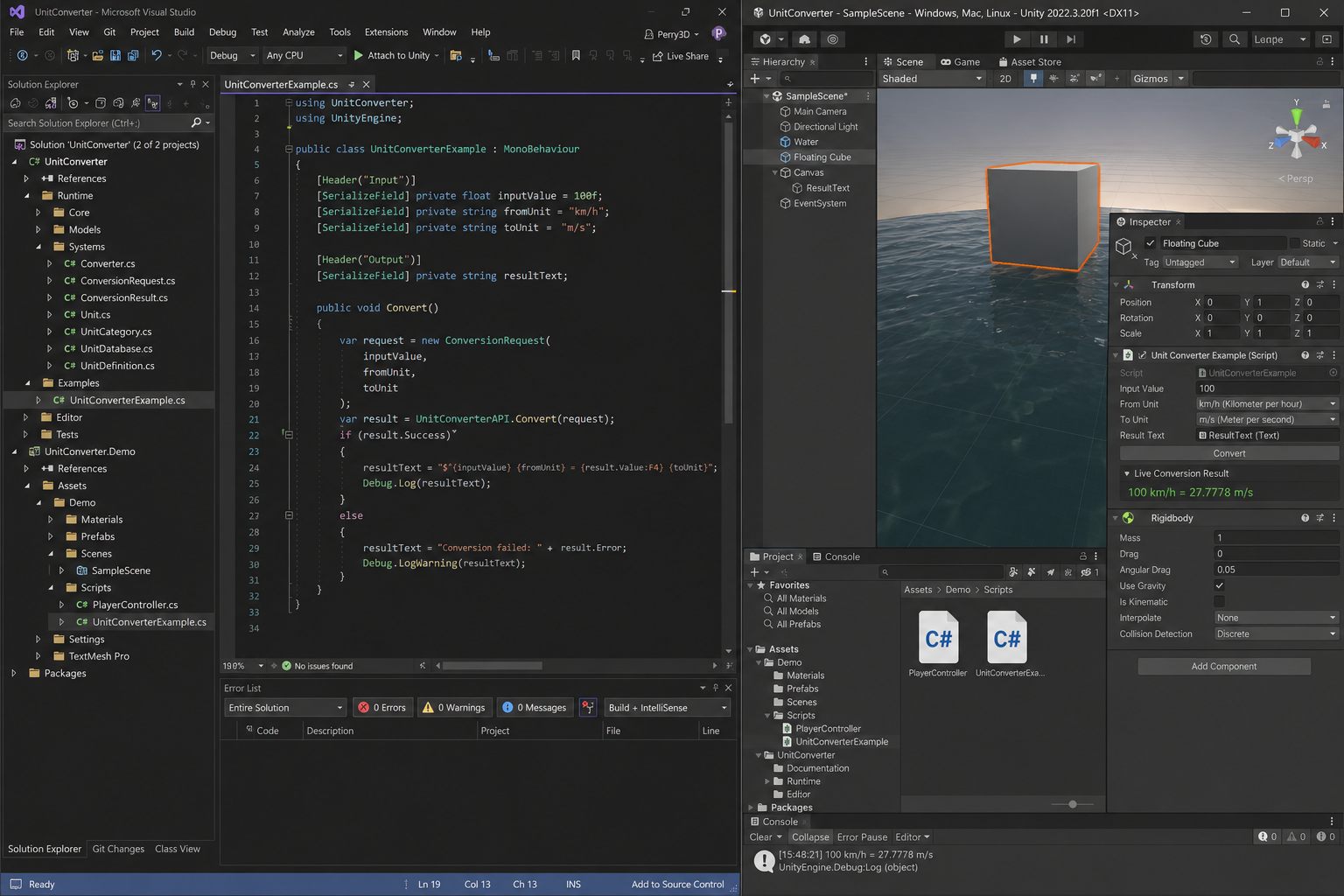
Visual Studio and Unity showing a Unit Converter demo converting kilometres per hour to metres per second.

Case study

Unit Converter is one of my own developer-focused projects and is available as a live web application at unitconverter.perry3d.nl.

The idea originally started years ago as a free Unity Asset Store tool. At the time, there was no simple solution on the Asset Store to help developers handle unit conversions inside their projects, so I created and released a free asset that supported around 600 conversions.

I later decided to fully rewrite and modernize the project. The new version has been rebuilt with a stronger structure, a cleaner developer experience, and a much larger conversion system. It now supports over 40,000 compatible conversions and is designed to make the API friendlier and easier for developers to use.

The project focuses on making unit conversion reliable, simple, and accessible. Instead of requiring developers to manually write or maintain conversion logic, the tool provides a structured way to work with many different unit types and conversion paths.

This project shows my interest in building practical developer tools: taking an old idea, improving the architecture, expanding the functionality, and turning it into a live, usable product.

07 2026 — ongoing

Unclaimable Hobby projects

Open-source library · C# · .NET · Identifier validation · NuGet (soon)

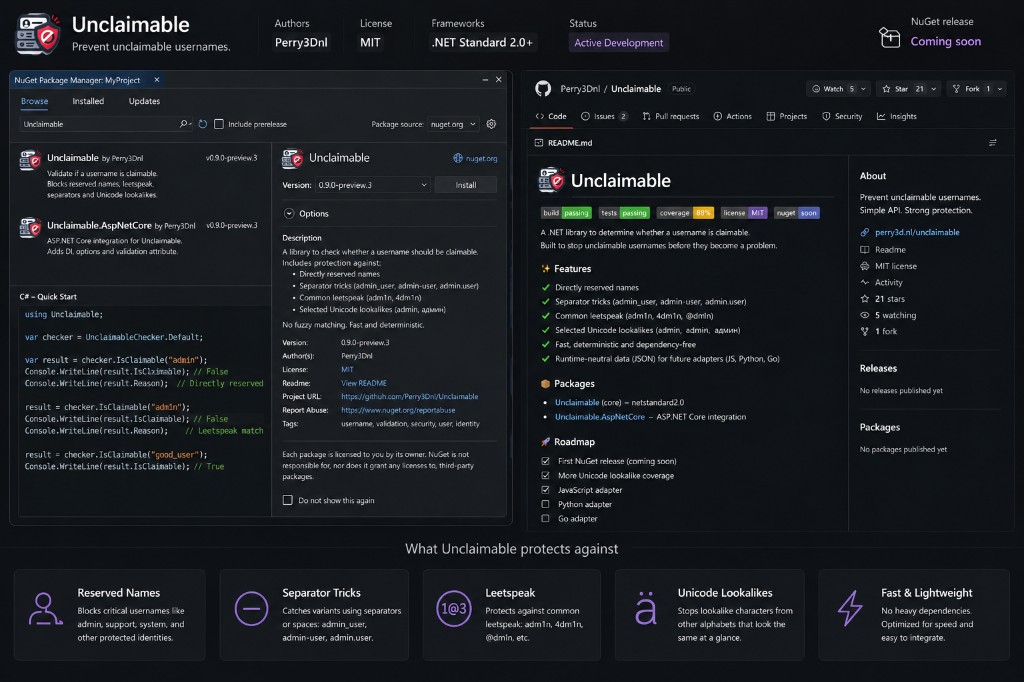
Unclaimable overview: the shield icon, NuGet packages, a C# quick start, and the GitHub repository.

Case study

Unclaimable is a library I started for a problem that keeps showing up in real products: people claiming identifiers they should never have been allowed to take. Admin, support, system identities, brand names, leetspeak, or a lookalike Unicode character that reads as the real thing at a glance.

It answers one question — should this identifier be claimable? — with a strict-by-default policy. AddUnclaimable() turns on reserved-name matching, compact separator tricks, bounded leetspeak, Unicode lookalikes, localized profanity, and structural rules for length, numbers, whitespace, and blocked characters. Individual rules can be relaxed; the rest stay on.

Localized datasets ship for English (the default), Dutch, and German, with an opt-in to check all three together. Brand and technology impersonation data is always loaded. The first implementation is .NET: a dependency-free netstandard2.0 core, plus an ASP.NET Core package for dependency injection, a live character policy, and a [ClaimableUsername] validation attribute.

This is an active GitHub project, not a live web app. The first public NuGet release is 0.1.0. Until that lands, clone the repository and pack locally.

08 Ongoing

Dummy Stock Simulator Hobby projects

Live browser app · Trading mechanics

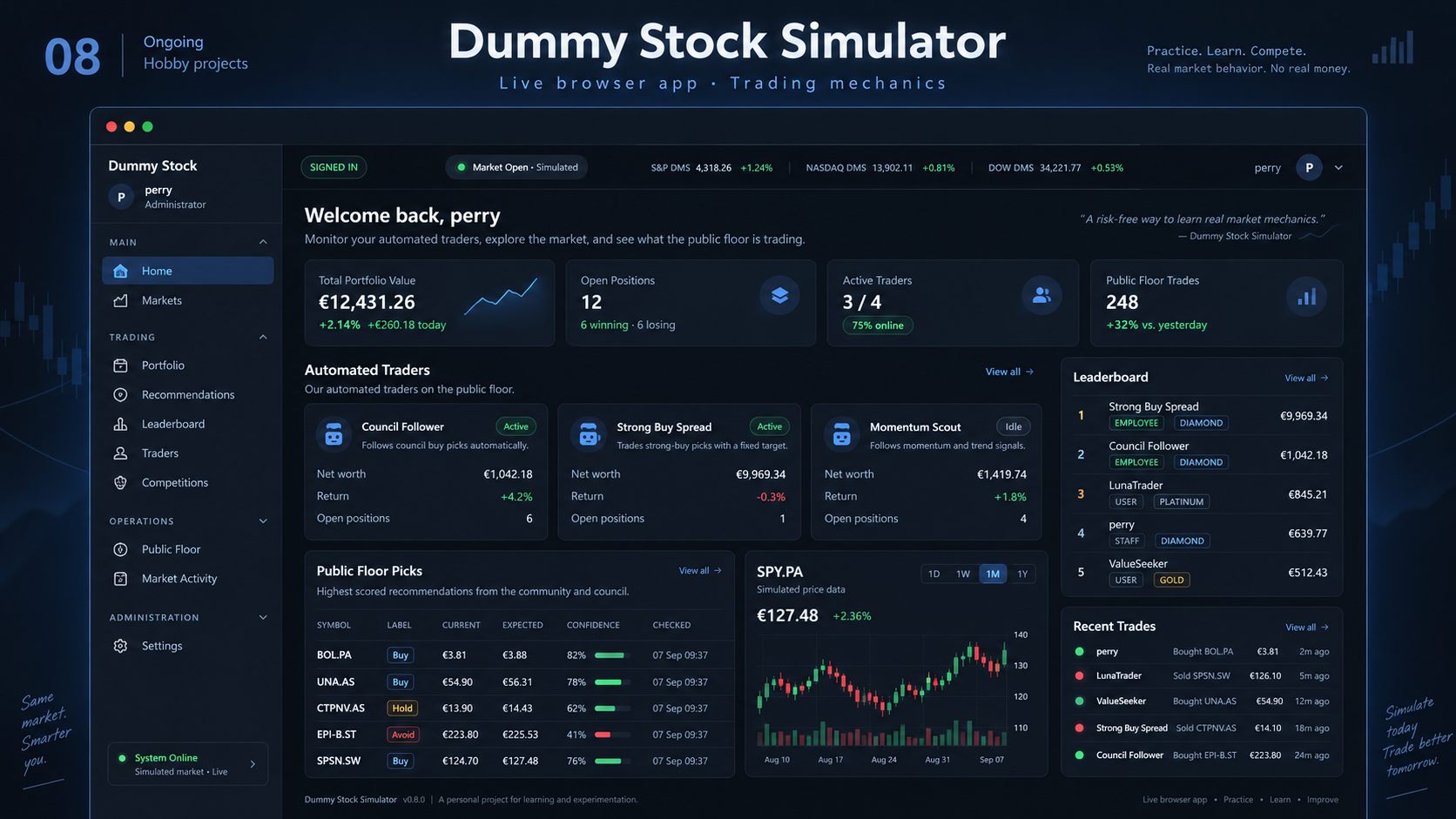
Dummy Stock Simulator dashboard with portfolio value, automated traders, leaderboard and a price chart.

Case study

Dummy Stock Simulator is a live browser app I built to practise stock-trading mechanics without real money. You can follow automated traders on a public floor, read recommendations, and compete on a leaderboard.

It is a hobby project: a place to try ideas around live updates, accounts, and game-like trading without the weight of a client brief.

09 Ongoing

GemTava Hobby projects

Live house calculator · Dutch housing data

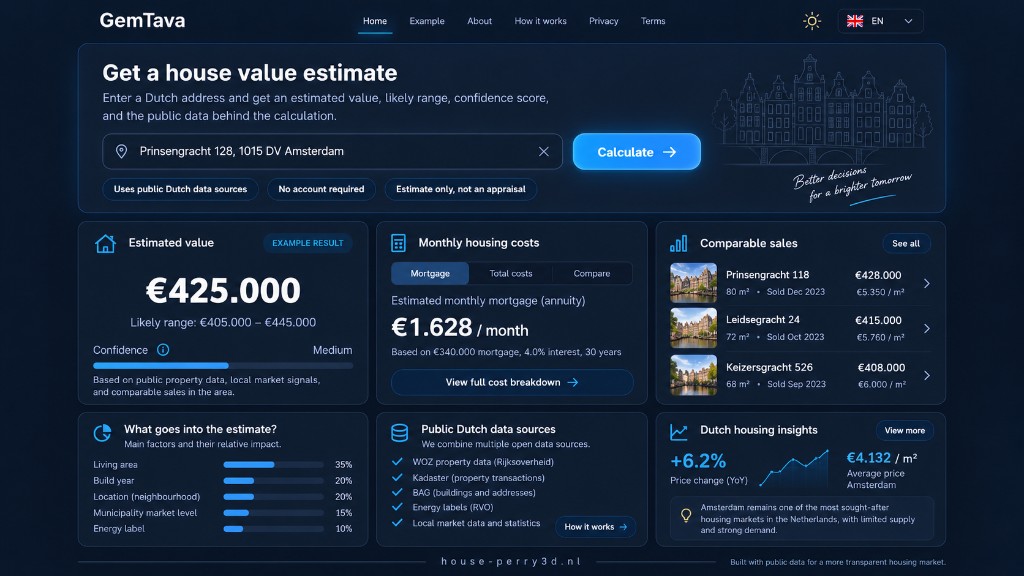
GemTava house-value dashboard: an Amsterdam address, estimated value, monthly costs and public Dutch data sources.

Case study

GemTava is a live house calculator for comparing mortgage and housing costs, and for getting an expected value before you put in an offer. It runs at house.perry3d.nl.

The app pulls together public Dutch data sources so a valuation is not just a round number — you can see what went into it. It is also the product shown on the Production stage of this site.

10 Ongoing

Note Hobby projects

Live lobby game · Useless facts

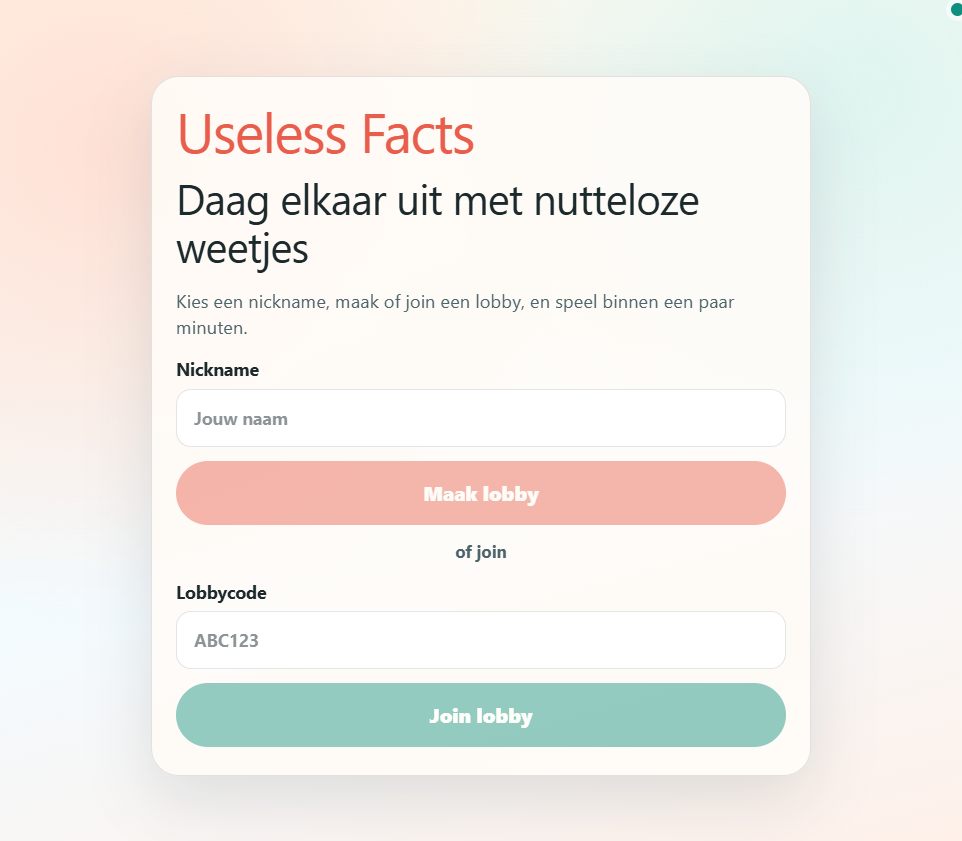
Useless Facts lobby screen: pick a nickname, create a lobby, or join with a code.

Case study

Note is a small live game at note.perry3d.nl. Pick a nickname, make or join a lobby, and challenge each other with useless facts.

It is a hobby project I built to play with friends — short rounds, a lobby code, and a bit of nonsense.

11 Ongoing

MetElkaarOnline Hobby projects

Live household app · Shared life · Built with my wife

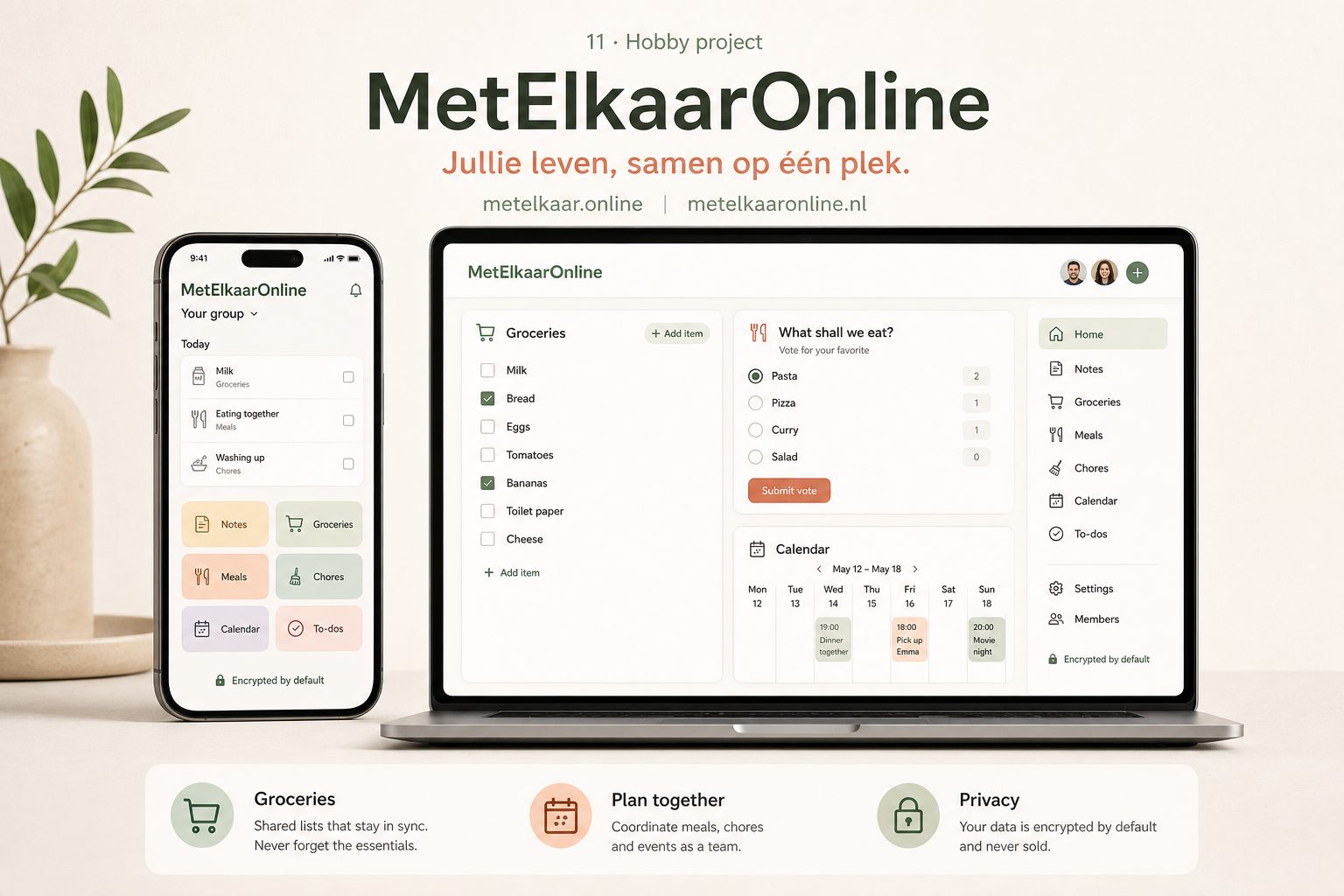
MetElkaarOnline on phone and desktop: a shared household space for groceries, meals, chores and plans.

Case study

MetElkaarOnline is an active project my wife and I are building together. It is a private shared space for everyday life — groceries, meals, tasks, notes, calendar — so you spend less time jumping between separate apps and lists.

A free account gives you a space for two people and the core modules. Privacy is the point: content is encrypted by default, and we do not sell personal data or use private notes for advertising.

Back to home